37+Home Office Layout Ideas That Actually Work in Real Spaces
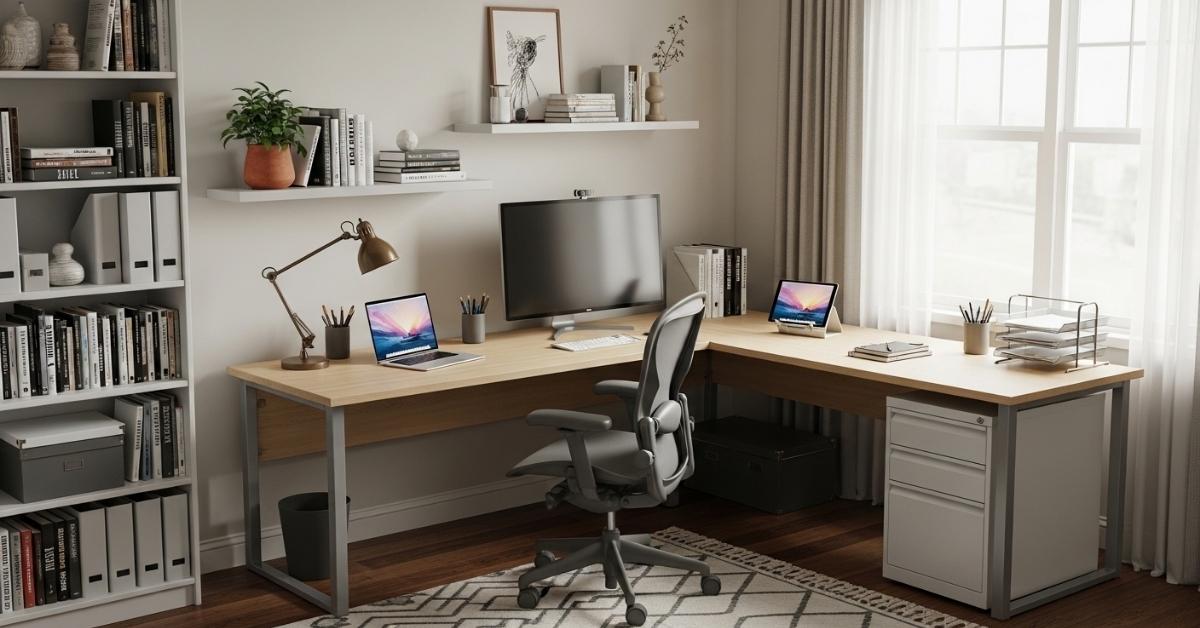
If your home office feels less like a productive workspace and more like a corner you’re just tolerating you’re not alone. Most people set up their desks without thinking about light direction ,Home Office Layout Ideas traffic flow, or how the room will feel after eight hours in it. The result? A space that functions technically but drains you visually and mentally.
The good news is that a better layout doesn’t require a room renovation or a furniture overhaul. In many cases, one or two intentional changes repositioning a desk, adjusting lighting layers, or adding a dedicated storage zone can shift the entire feel of a room.
If you’re working with a small bedroom corner, a converted dining room, or a studio apartment where work and life share the same square footage, these ideas are built for real constraints, not showroom setups.
The Floating Desk Wall Setup for Minimal Square Footage
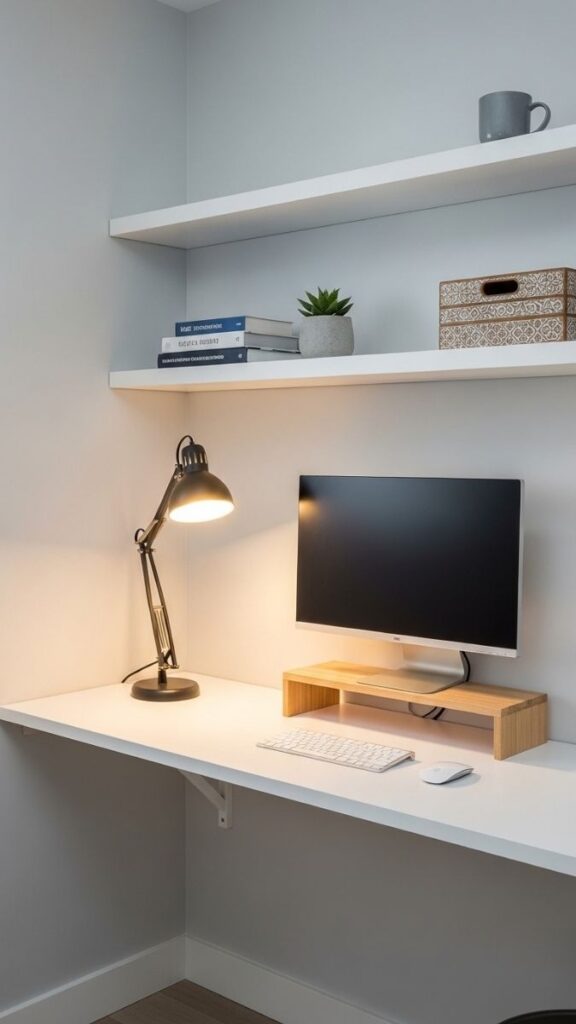
A floating wall-mounted desk is one of the most efficient moves you can make in a small room. The desk surface anchors to the wall at standing-desk height or seated height, no legs eating floor space, no bulky frame disrupting the visual plane of the room. Pair it with two or three open shelves directly above and you have a compact workstation that keeps everything at arm’s reach without closing in the space visually.
This setup works especially well in rooms under 100 square feet or any layout where floor space is the real limiting factor. Because the floor beneath stays clear, the room reads as larger than it is and cleaning is significantly easier, which matters more than people admit.
Corner Desk Layout with L-Shaped Workspace
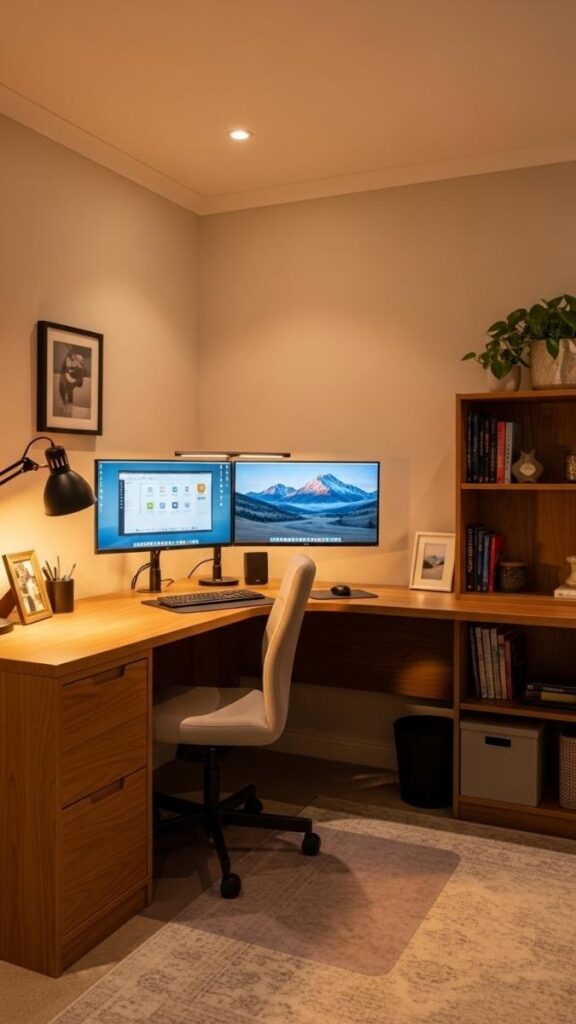
Corners are underused in most home offices. An L-shaped desk configuration turns dead corner space into a functional dual-zone workspace, one side for your primary monitor and active work, the other for reference materials, notebooks, or a second screen. The key is keeping the corner section lower-traffic. This is where you place items you reference but don’t reach for constantly.
Positioning the longer leg of the L toward the window pulls natural light over your shoulder rather than directly into your screen. This layout is particularly useful in medium-sized rooms where you need the desk surface area but can’t stretch a single desk across an entire wall without blocking doorways or pathways.
Window-Facing Desk for Home Office Layout Ideas
Positioning your desk to face a window gives you daylight at eye level which reduces fatigue and helps regulate focus across a long workday. The catch you need to manage glare. Sheer or linen curtains diffuse direct sunlight without cutting brightness, keeping the room feeling open while protecting your screen visibility.
This is one I’d actually recommend trying first if your room has a strong light source, because it’s the most impactful change with the least effort. Where it gets tricky is in very small rooms where a window-facing desk puts your back to the only door some people find that creates low-level background tension. If that’s your situation, try the perpendicular setup instead.
Read More about: 36+Studio Apartment Layout Ideas That Make Small Spaces Feel Bigger and More Livable
Perpendicular Window Layout for Balanced Side Lighting
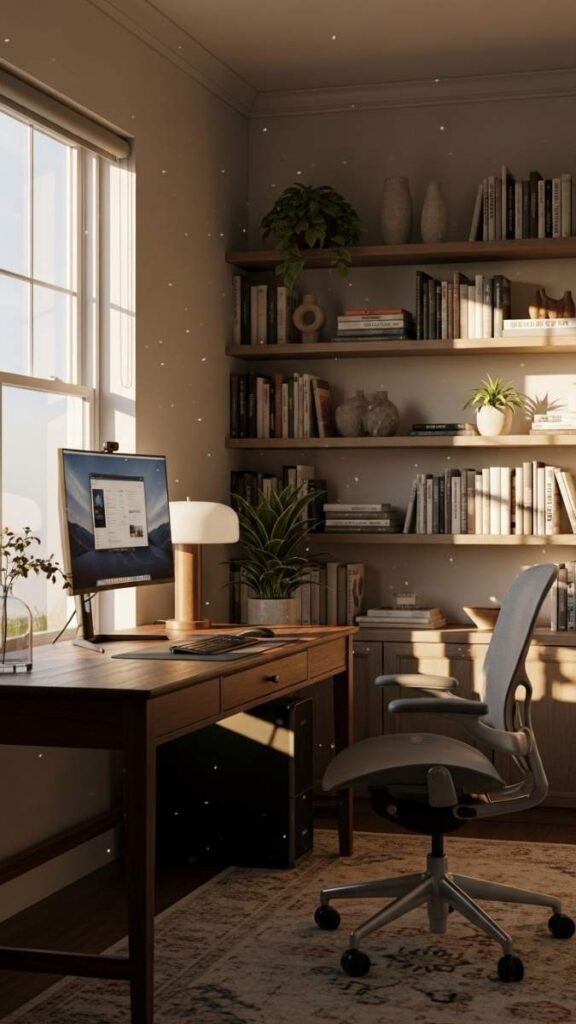
Placing your desk at a 90-degree angle to a window so light falls across your workspace from the side is the most consistently functional lighting arrangement for screen-based work. You eliminate glare without losing the visual connection to natural light.
The room also feels more balanced, one side bright, one side ambient. For right-handed workers, light from the left is preferable so your writing hand doesn’t cast a shadow across the page.
This setup is particularly effective in rooms where the window is centered on a wall and a face-on desk position would create a strong backlight problem.
Built-In Shelving as a Room Divider in Open Plan Spaces
In studio apartments or open-plan homes, the biggest challenge isn’t fitting the desk, it’s creating psychological separation between work and rest without adding walls.
A tall bookshelf (183–210cm) positioned perpendicular to a wall creates a soft partition that defines the office zone visually without blocking light or completely enclosing the space. The back of the shelf can face the living area and be styled intentionally; this becomes part of your decor, not just functional storage.
Honestly, this approach changes how a space feels more than almost anything else, because once you can’t see your desk from your sofa, the mental switch between work mode and off-mode becomes much easier.
Standing Desk Conversion with a Fixed Stool Zone
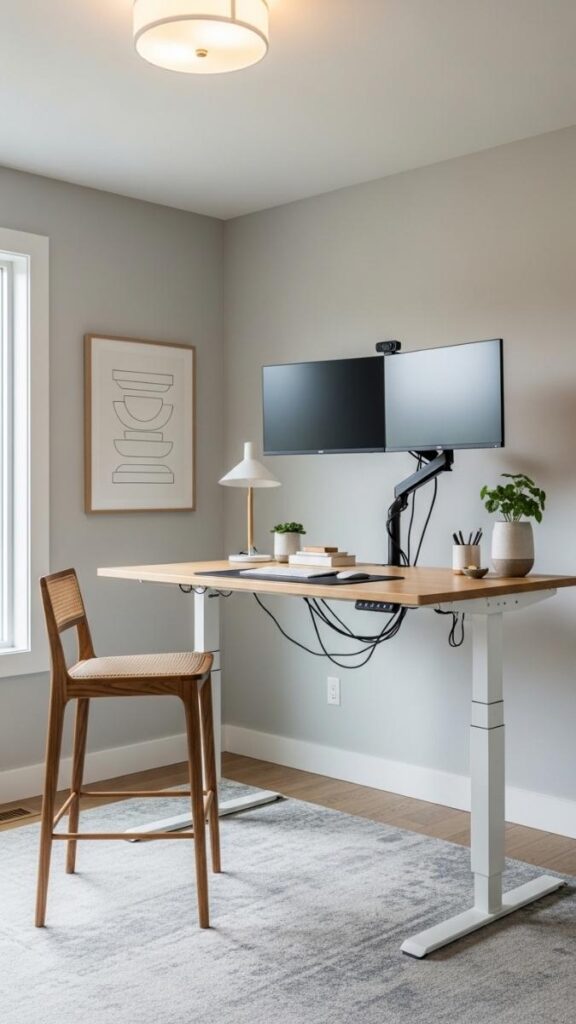
A standing desk doesn’t have to mean standing all day and most people who stick with them don’t. The most practical setup is a height-adjustable desk positioned near a wall with a drafting stool or bar-height chair tucked to one side. You alternate seated for deep work, standing for calls and light tasks.
What makes this layout work isn’t the desk height, it’s having a clear surface on both sides of the monitor for reference items, and keeping the stool close enough to pull in without disrupting your flow. This is especially useful for people with back concerns or anyone working more than six hours a day at a screen.
Read More About: 35+Small Living Room Layout Ideas That Actually Make Your Space Feel Bigger
The Dual-Zone Office Focus Area + Reference Table
If your room is large enough 12×12 feet or more, splitting your workspace into two zones dramatically improves how you work. The primary desk is for your active screen and keyboard. A small secondary table or credenza (even a folding table works) holds reference materials, notebooks, or a printer.
You don’t need both surfaces lit the same way as task lighting on the primary desk, ambient or natural light on the secondary surface. In my experience, this works best when the two zones face slightly different directions so that switching between them requires a physical turn; the movement itself breaks mental inertia and helps shift between task modes.
Closet Office Conversion with Bi-Fold Door Privacy
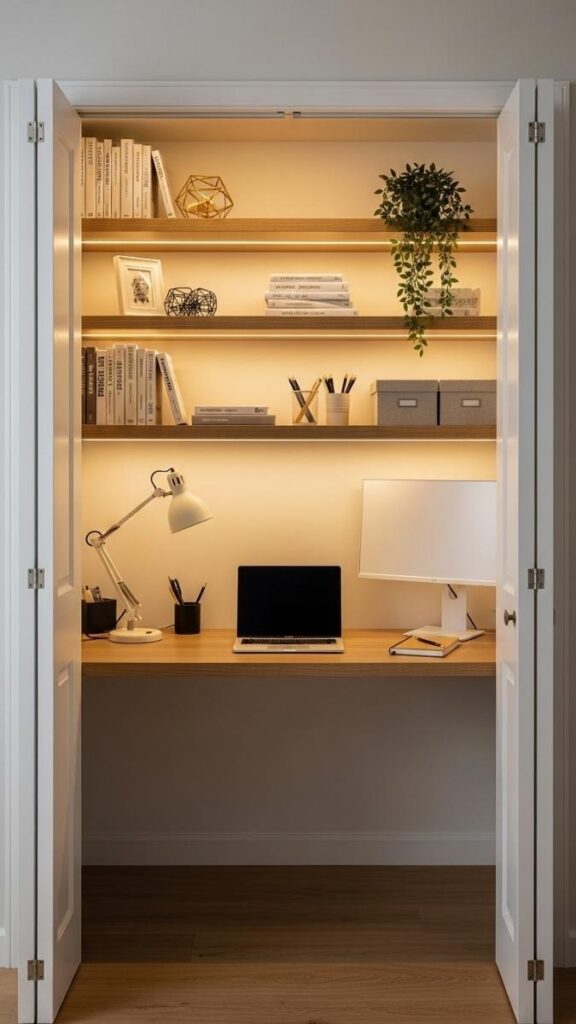
A standard reach-in closet around 60–90cm deep is enough to fit a wall-mounted or shallow desktop, one or two shelves, and a task light. The real advantage is the bi-fold door open for work, closed to make the office disappear entirely.
This is the most practical solution for one-bedroom apartments where you need to use the same room for work and sleep. The spatial separation isn’t physical, but it’s real out of sight, out of mind actually works here.
Focus on good ventilation (don’t seal it completely) and a strong overhead or strip LED light, since natural light won’t reach the back of a closet.
Gallery Wall Behind the Desk for Visual Depth
An empty wall behind your workspace amplifies the emptiness of the whole room. A tightly curated gallery wall three to five frames maximum, kept within a defined rectangle roughly the width of your desk gives the space visual weight without adding physical clutter. Stick to a cohesive color story all black frames, all light wood, or all white.
Mix prints, photos, and one or two simple art pieces in different sizes, but avoid anything too visually busy since your eyes will land on this wall during video calls and throughout your workday. This works in rooms of any size and costs relatively little to execute well.
Desk Nook with Half-Wall Separation in Shared Rooms
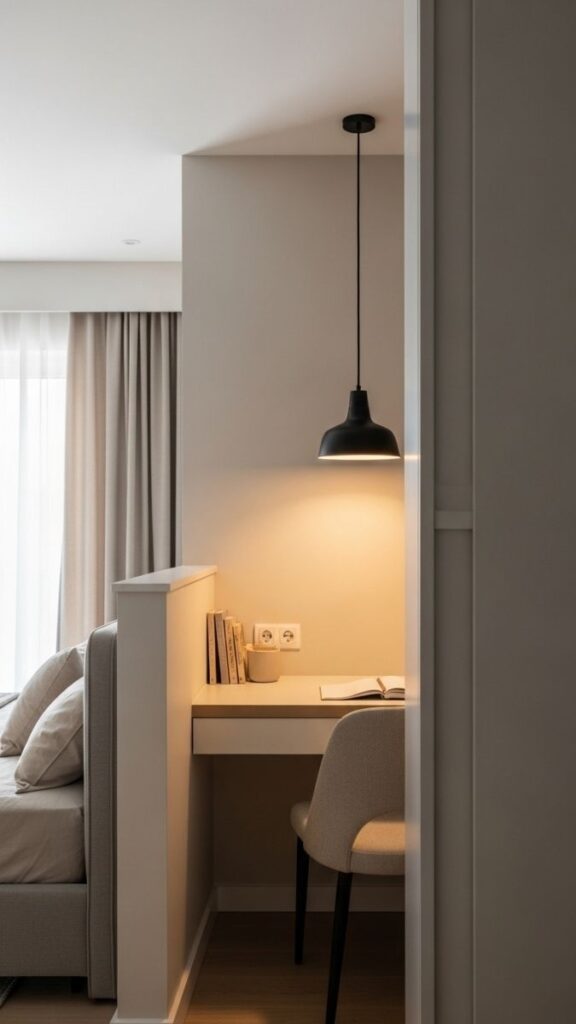
A half-wall or low partition (about 120–150cm tall) divides a shared bedroom or living space into a functional work nook without completely closing off the area. This is a step up from a bookshelf divider; it’s more architectural and creates a stronger visual boundary.
The key detail is lighting. The nook side needs its own dedicated light source so it doesn’t feel like a dark alcove. A pendant light or adjustable wall sconce above the desk works well here. This setup takes more commitment than most.
You’re adding a structural element but the payoff in focus and spatial clarity is significant for people who work long hours in shared living situations.
All-White Desk Setup for Visual Spaciousness in Compact Rooms
In rooms under 90 square feet, an all-white desk setup white desk, white shelving, white or very light walls uses the principle of tonal consistency to make the space read as larger and calmer than it physically is. The eye doesn’t have to work to navigate contrast, which reduces the sense of visual clutter.
The one exception is keeping one warm element in the mix, whether that’s a plant, a wooden desk accessory, or a warm-toned light bulb. Pure white rooms without any organic element can start to feel clinical after a few hours.
This layout is especially effective for people whose work requires a lot of screen time; the low-contrast background environment reduces eye fatigue over a long day.
Read More About: 34+Living Room Lighting Ideas That Make Your Space Feel Bigger, Warmer, and More Intentional
Floating Shelf Monitor Stand for Cable Free Desktop
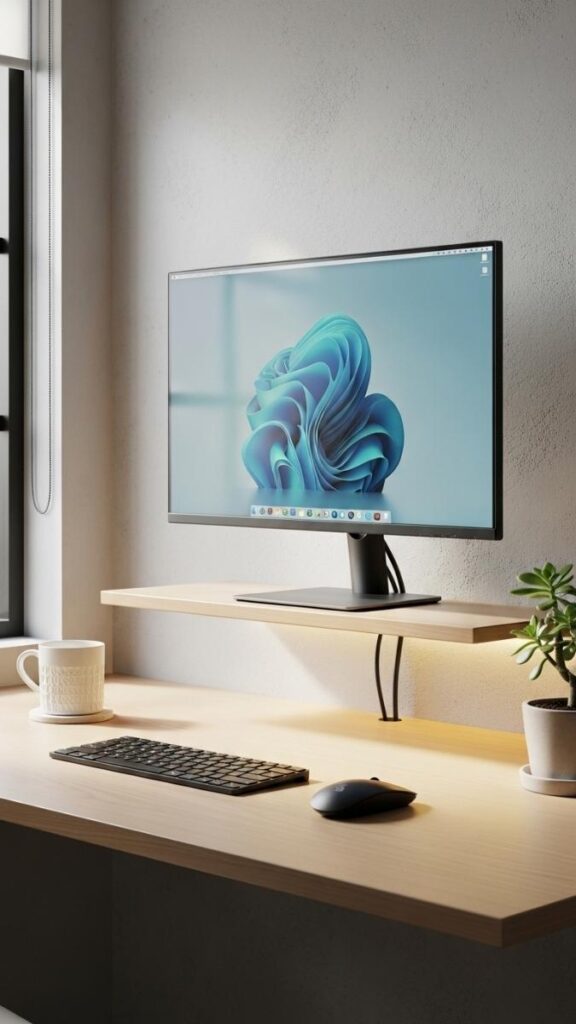
Raising your monitor on a low floating shelf about 10–15cm above desk level instead of a traditional monitor stand does two things: it gets your screen closer to eye level, which helps posture, and it creates a natural storage zone underneath for keyboard and mouse when not in use.
Combined with cable routing clips along the wall, this setup can get you to a nearly cable-free desktop. The visual benefit is really a clear desk surface, even in a small room, signals order and makes the space feel intentional rather than makeshift. This works in any size room and requires very little investment.
Pegboard Accent Wall for Flexible Tool Storage
A pegboard wall installed behind or beside your desk creates a completely reconfigurable storage system that doesn’t commit you to fixed shelving. Hooks, small shelves, cable holders, and even a small whiteboard can all be repositioned as your needs change. Paint the pegboard the same color as the wall and it integrates visually instead of looking like a garage project.
This is particularly useful for creatives, designers, or anyone who works with physical tools or reference materials that change frequently. It solves the problem of storage that either overflows (traditional shelves) or becomes hard to access (drawers).
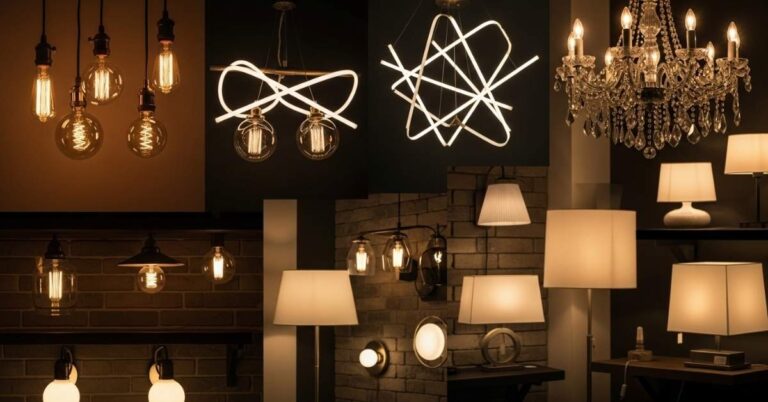
Warm Lighting Layers to Counter Harsh Overhead Light
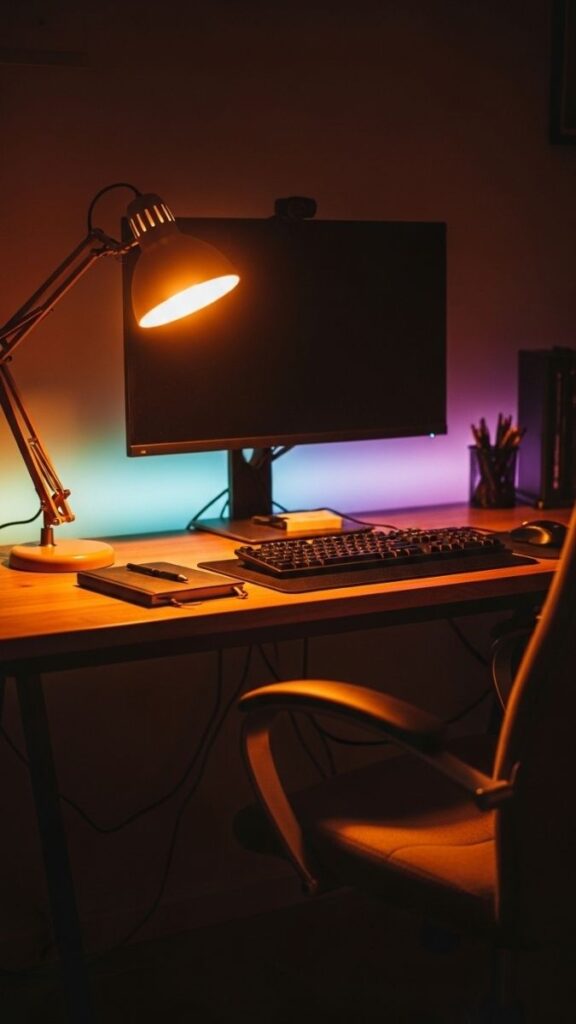
Overhead LED ceiling lights are the default in most rooms and they’re one of the primary reasons home offices feel cold and fatiguing. Layering warm lighting changes the character of the space significantly.
A warm-toned desk lamp (2700–3000K) for task lighting, a bias light or LED strip behind the monitor to reduce screen glare contrast, and a small ambient lamp on a nearby shelf creates a balanced light environment.
The total lux output might be similar to a single overhead light, but the distribution is more natural, and your eyes adjust less dramatically when you look away from the screen. This applies to rooms of all sizes and is one of the lowest-cost, highest-impact changes you can make.
Desk Positioned Against a Short Wall for Better Traffic Flow
In a rectangular room, most people instinctively put the desk against a long wall but this often creates awkward traffic flow and makes the room feel narrow. Placing the desk against the shorter wall instead gives you a wider open plane in front of you, better room balance, and cleaner walking paths on both sides.
The room reads as more spacious because your line of sight when seated goes across the full length of the space rather than into a close wall. This is one of those layout adjustments that sounds small but changes how comfortable the room feels throughout a full day of work.
Compact Rolling Cart as Mobile Secondary Storage
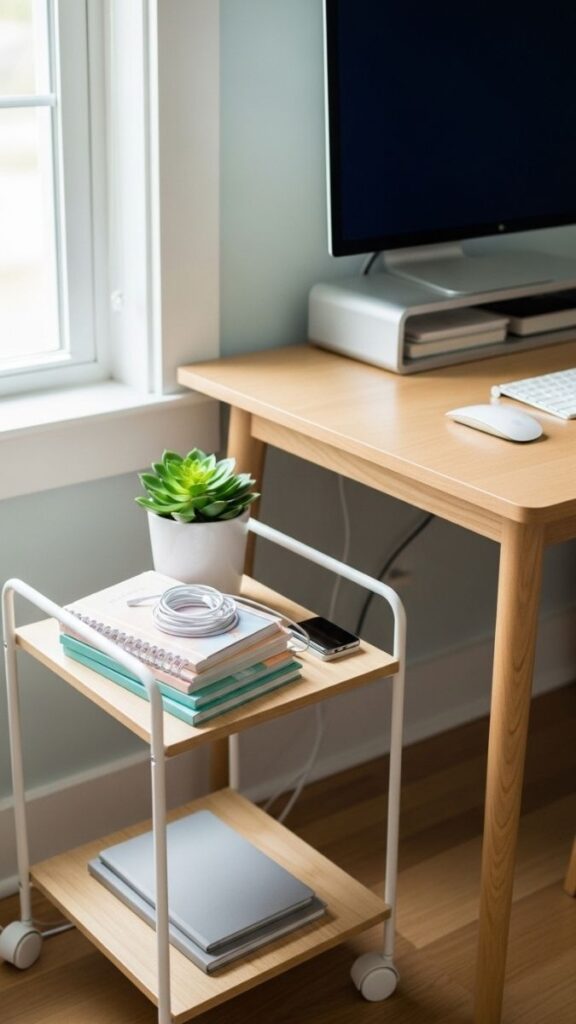
A rolling cart, specifically the RASKOG-style or similar three-tier utility cart positioned beside the desk gives you additional accessible storage without committing to a fixed piece of furniture. It can move with you, be pushed under the desk when not needed, and repurposed entirely if your setup changes.
The practical value is in keeping your most-used daily items (chargers, headphones, notebooks) close without cluttering the desk surface itself. For renters or people in shared spaces who can’t add permanent shelving, this is one of the most flexible storage solutions available at a low price point.
Two-Monitor Symmetrical Layout on a Wide Desk
A dual-monitor setup only works well when the monitors are positioned symmetrically around your natural center-of-gaze. Most people default to placing both monitors directly in front of them or angling them without accounting for which screen they use more heavily.
The better approach places your primary monitor slightly left of center (or right, based on dominant eye), secondary monitor to the side at a 20–30 degree angle. This reduces the neck rotation that causes fatigue over long sessions.
The desk needs to be at least 140cm wide to do this without the monitors feeling crowded. This layout is most effective for people who spend more than four hours daily at a dual-screen setup.
Dark Accent Wall Behind the Desk for Focus and Depth
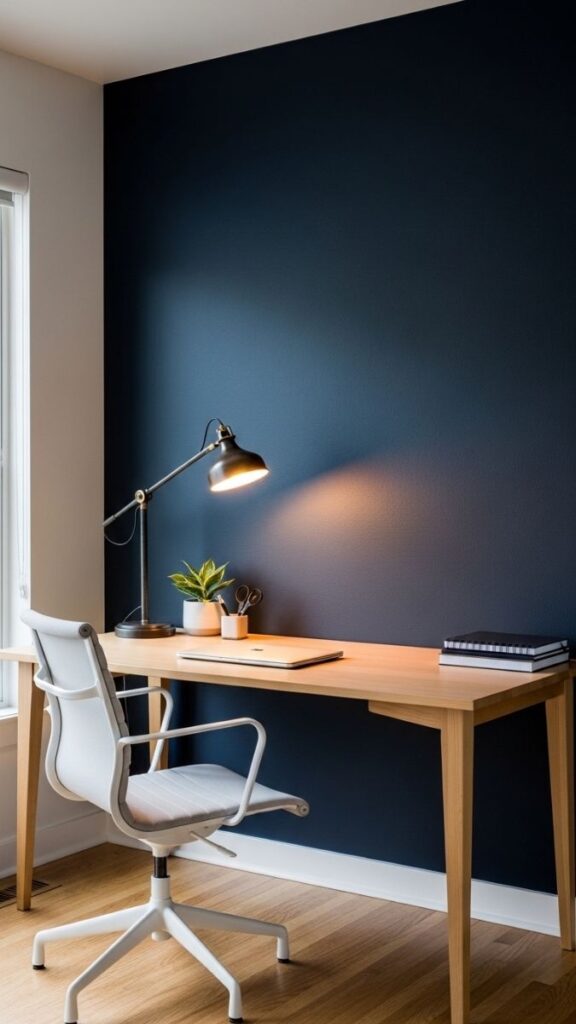
A dark-painted accent wall directly behind your desk does something counterintuitive: it makes the room feel more contained and focused rather than smaller. The contrast between a light desk and a deep wall creates a visual anchor that draws the eye to the workspace both for you and during video calls.
Deep navy, warm charcoal, or forest green all work well. The surrounding walls should remain light to preserve brightness in the rest of the room. This is particularly effective in larger home offices where the workspace feels like it floats in the middle of too much neutral space, lacking definition.
Under-Desk Cable Management for a Clean Floor Line
Visible cables running down the back of a desk and pooling on the floor are one of the most common reasons a home office looks unfinished regardless of how well everything else is arranged.
A cable management tray mounted under the desk surface combined with a cable spine or channel along the wall keeps all power cables, USB hubs, and monitor cables completely off the floor and out of sight. This is a practical upgrade that costs under $30 in most cases and changes the visual quality of the space significantly. It also makes cleaning the floor under the desk genuinely possible, which matters if your workspace doubles as a personal room.
Dedicated Thinking Chair Away From the Desk
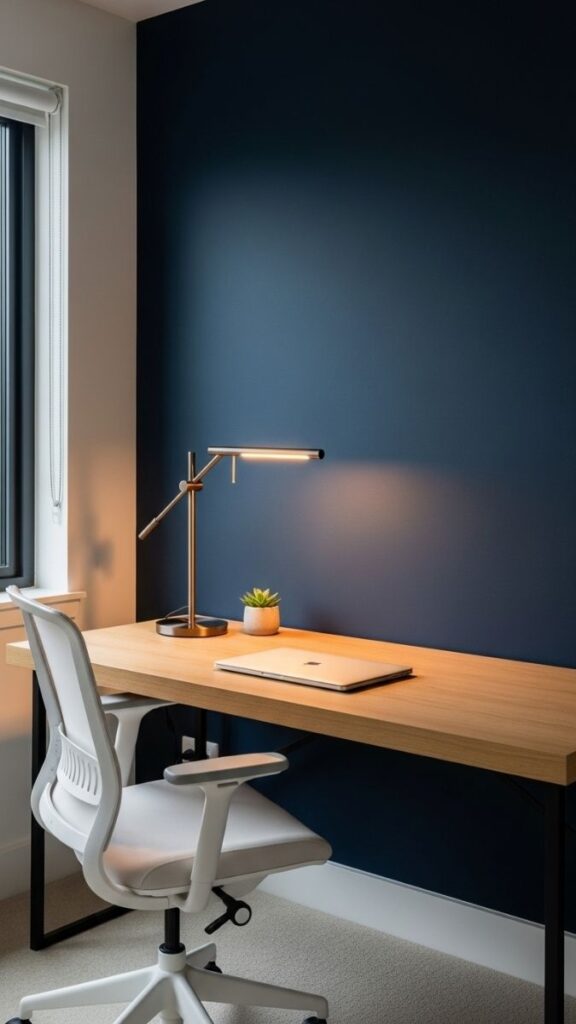
Not every work task is screen-based, and having a single seat on your desk chair as the only place to sit in your office limits how you use the space.
A comfortable chair in the corner of the room, paired with a small side table and a good reading lamp, gives you a place to shift when you need to read, think, draft by hand, or take calls without a screen in front of you.
The physical separation from the desk is the key. I’ve noticed this style tends to improve creative output. Specifically, there’s something about changing your posture and position that breaks through blocks that sitting at a desk doesn’t.
Open Shelf Over the Desk for Visual Storage Display
A single long shelf mounted 40–50cm above the desk surface at roughly seated eye level gives you display and functional storage without the heaviness of full built-in shelving.
The shelf becomes part of the visual composition of the wall rather than just a storage solution. Keep it curated with a few books, one or two small plants, and one personal object. Overcrowding a shelf at eye level creates a visual noise problem that competes with your focus during the workday.
In small rooms, this shelf often replaces a dedicated bookshelf entirely; the vertical storage does the same job with much less floor space.
Textured Rug to Define the Office Zone in an Open Floor Plan
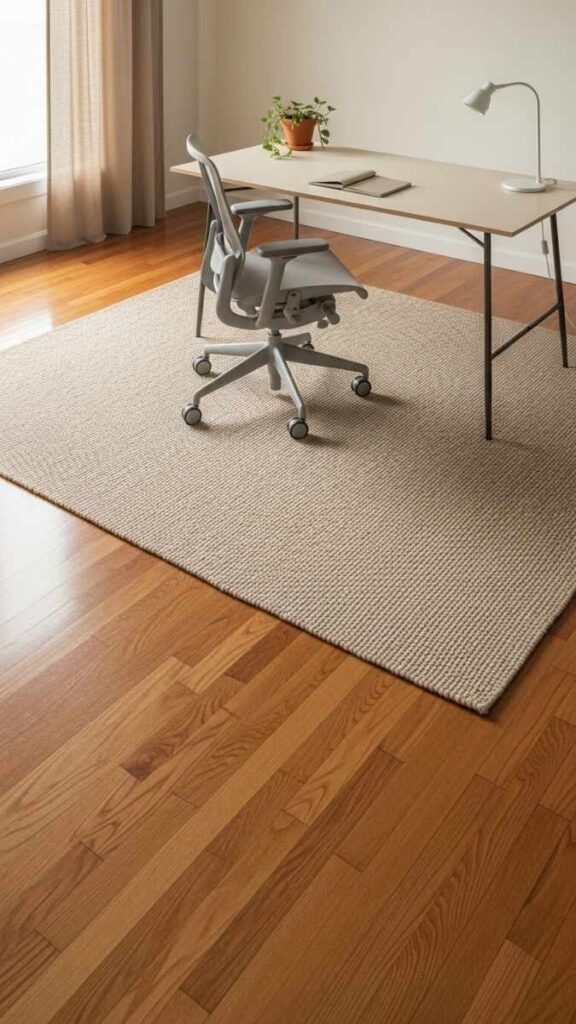
In an open-plan space, a rug under the desk and chair creates a physical boundary for the work zone without any physical partition. It’s one of the few pieces of decor that functions as spatial architecture the moment you step onto the rug, you’re in the office; off the rug, you’re not. Choose a rug with a low pile that allows the chair to roll easily.
Neutral or subtle patterns work best under a desk, nothing too busy since the rug is mostly hidden anyway. The practical secondary benefit is that it reduces chair scuffing on hardwood or tile floors and softens sound in the workspace.
The Minimalist Single-Monitor Desk With Zero Drawers
Drawer units under desks solve a storage problem by creating a clutter-containment problem. Drawers become the place where things go to be forgotten and they interrupt the under-desk space in ways that make the room feel heavier.
A single-monitor setup with a floating desk or simple table, a monitor arm instead of a stand, and open storage above instead of closed storage below creates one of the cleanest and most functional office arrangements you can build.
This layout requires discipline if everything needs to be visible and accessible, you have to edit your workspace down to only what you actually use. Most people find that to be a useful exercise in itself.
Bi-Level Desk for Laptop External Monitor Workflow
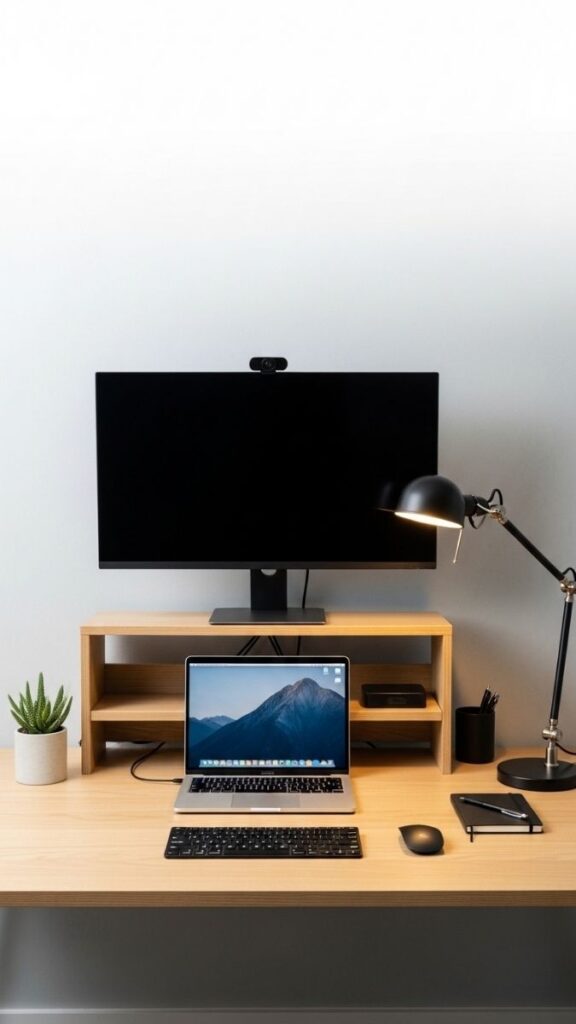
If your workflow involves a laptop and an external monitor, the standard practice of putting them side-by-side creates an ergonomic mismatch; the monitor heights differ, and you end up angling your neck repeatedly throughout the day.
A bi-level desk riser positions the external monitor at its correct elevated height while the laptop sits at desk level below and to the side.
You work primarily on the external monitor, use the laptop as a secondary display when needed. This reduces neck strain significantly and gives the desk setup a more intentional, organized look than two surfaces at mismatched heights competing for visual dominance.
Curtain Room Divider for Flexible Office Separation
A ceiling-mounted curtain track with a long panel of linen or heavy cotton gives you the most flexible room divider available.
Open, it disappears. Closed, it creates a full-height visual wall that separates the office from the rest of the room. This is especially practical for people whose schedule changes. Some days you need full separation for calls or focus, other days the room can be open.
The curtain track can be installed in most rental apartments without permanent structural changes, and it’s significantly cheaper than built-in partitions. Light-colored linen passes some ambient light through even when closed, so the office side doesn’t go dark.
Acoustic Panel Feature Wall for Both Function and Aesthetics
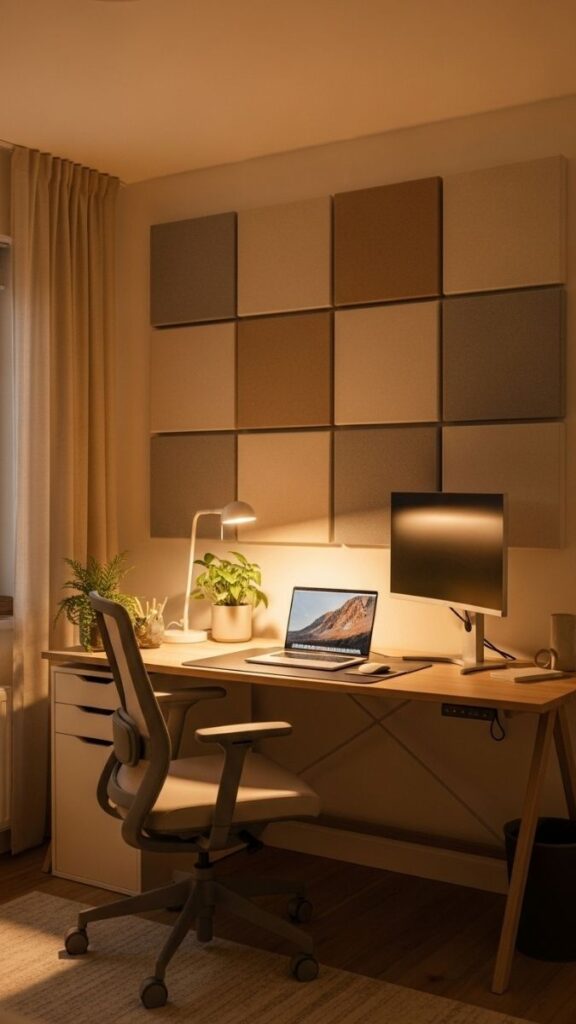
Sound management is one of the most overlooked elements of home office design, especially in apartments with parallel hard surfaces.
Fabric acoustic panels mounted in a grid pattern on the wall behind or beside your desk absorb mid-to-high frequency sound, which reduces echo and makes your calls and recordings noticeably clearer.
In 2026, acoustic panels have moved from purely functional to increasingly design-led; you can find them in warm neutrals, terracotta, sage, and deep teal, making them a legitimate decor element rather than just acoustic treatment. A 3×2 panel arrangement at 60x90cm per panel covers enough surface area to make a real acoustic difference in a standard home office room.
The Warm Neutral Shelf Styling System for a Polished Background
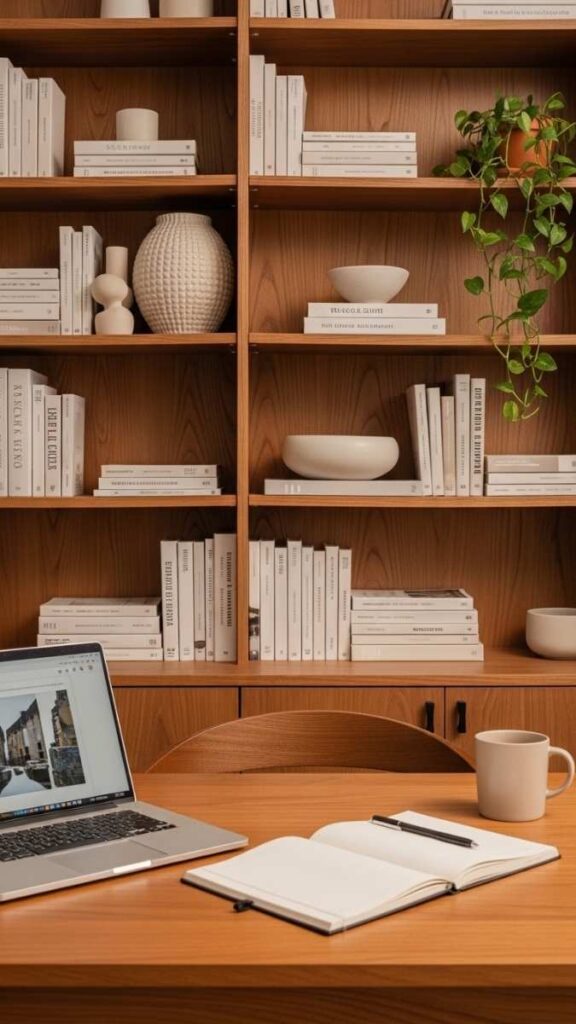
Video call backgrounds have changed what the back of a home office needs to do. A bookshelf or shelving unit in the background of your seated desk position styled with a mix of books, a small plant, a neutral ceramic piece, and one personal object creates a professional and composed background that reads well on camera without any virtual background.
The styling principle is to vary the height and proportion of objects, keep the color palette within three tones, and leave breathing space between items. A packed shelf looks chaotic on camera even if it looks fine in person, because compression on a video feed amplifies visual noise.
What Actually Makes These Home Office Layouts Work
Most home office problems trace back to three things: desk placement relative to light, insufficient storage that’s actually accessible, and a lack of visual separation from the rest of the room.
Light first.
Every other decision follows from where natural and artificial light falls in your specific room. Before moving furniture, spend a morning in your space and notice where the light is best between 9am and 1pm. That spot wherever you’re not squinting, wherever the screen would be readable is where the desk belongs.
Storage that works in practice.
Open storage near the desk (shelves, pegboards, rolling carts) keeps frequently used items accessible. Closed storage (drawers, cabinets) works for items you use weekly or monthly. The mistake most people make is putting daily-use items in drawers because drawers look tidier and then spending real time every day opening and closing them. Friction in your environment creates low-level resistance that compounds over a workday.
Separation as design.
In shared-space home offices, the layout needs to do the job that a separate room would otherwise do signal “this is a different space with a different purpose.” A rug, a curtain, a bookshelf divider, or even just a distinct lighting zone accomplishes this without walls. The goal isn’t perfect acoustic isolation, it’s enough visual separation to psychologically support the shift between work mode and home mode.
Home Office Layout Comparison by Space Type
| Layout Idea | Best For | Room Size | Main Problem Solved | Difficulty |
| Floating desk wall | Small rooms, renters | Under 100 sq ft | Floor space, clutter | Low |
| L-shaped corner desk | Medium rooms | 120–180 sq ft | Lack of surface area | Low |
| Closet conversion | Studio apartments | Any | Work-life separation | Medium |
| Bookshelf divider | Open-plan spaces | Any | No room boundary | Low |
| Curtain room divider | Renters, shared rooms | Any | Flexible separation | Low |
| Half-wall partition | Shared bedrooms | 150+ sq ft | Visual + psychological boundary | High |
| Dual-zone (desk + table) | Dedicated home offices | 140+ sq ft | Task switching, reference access | Medium |
| Acoustic panel wall | Apartments, hard floors | Any | Sound, video call quality | Medium |
| Corner dark accent wall | Larger rooms | 130+ sq ft | Workspace lacks definition | Low |
| Standing desk + stool | Any | Any | Posture, long work hours | Low |
Common Home Office Layout Mistakes That Make Your Space Feel Smaller or More Chaotic
Putting the desk in the center of the room.
A center-placed desk sounds spacious in theory but it means every side of the desk is exposed, you have no wall for shelving or anchor behind you, and the room loses its sense of defined zones. Desks work best against walls or in corners, where they have structural backing and create clear pathways around them.
Matching your desk chair to the desk but ignoring ergonomics.
A beautiful setup that gives you back pain by 2pm isn’t a functional home office. Chair height, monitor distance (50–70cm from face), and keyboard angle are non-negotiable factors that affect how many hours you can actually work well in the space. Ergonomics and aesthetics aren’t mutually exclusive but aesthetics can’t come first.
Over-decorating the desk surface.
A succulent, a candle, a framed photo, a small lamp, a wireless charger, a notebook, and a cup of pens each item is reasonable on its own. Together, they consume the usable desk surface and create visual noise you’ll register every time you sit down. Keep the desktop to one light source, one personal item, and one functional item besides your computer. Everything else earns a shelf.
Ignoring the floor plane.
Cables on the floor, a chair mat with curling edges, or a rug that the chair catches on these are functional problems that compound over a full day of use. The floor zone under and around the desk should be completely clear and smooth. It affects both how the space looks and how freely you can move throughout your workday.
FAQ’s
What is the best home office layout for a small room?
The most effective layout for a small home office is a wall-mounted or floating desk against the longest clear wall, with open shelving directly above it. This keeps the floor space completely clear and creates vertical storage without adding furniture footprint. Avoid bulky drawer units underneath; they reduce the visual openness that makes a small room feel workable.
How should I position my desk relative to a window?
The two best options are facing the window (for natural light at eye level with sheer curtains for glare control) or perpendicular to the window (for balanced side lighting that eliminates screen glare). Avoid sitting with your back to a large window. The backlight creates harsh contrast against your screen that causes eye fatigue quickly.
Can I create a home office in a studio apartment without a separate room?
Yes and the most effective approaches involve creating a visual boundary rather than a physical one. A tall bookshelf, a curtain on a ceiling-mounted track, or a textured rug under the desk zone all signal a distinct workspace without dividing the room permanently. The key is ensuring the desk zone has its own dedicated lighting so it reads as a separate environment.
What is the biggest home office layout mistake?
Positioning the desk where it’s most convenient rather than where the light is best. Light affects how long you can work comfortably, how your space appears on video calls, and how the room feels throughout the day. Spend a morning in your space before moving furniture, find where the light is best during your typical working hours, and build the layout from there.
How do I make my home office look good on video calls without a virtual background?
Position your desk so the camera faces a wall that’s not your main window wall. A styled bookshelf, a small gallery wall, or an acoustic panel arrangement in the background all read well on camera. Warm ambient lighting behind the monitor and a desk lamp angled toward your face (not into the camera) creates balanced, flattering lighting that improves call quality significantly.
Do I need a dedicated room for a productive home office?
Not necessarily. Many of the most functional home offices exist in corners, closets, and shared rooms. What matters more than room exclusivity is visual and psychological separation from non-work areas, quality task lighting, and a storage system that keeps your workflow organized. A well-designed nook can outperform a dedicated room that hasn’t been thought through.
What’s the most cost-effective home office upgrade?
Lighting. Replacing a harsh overhead light with a warm desk lamp (2700–3000K) and adding a simple bias light behind the monitor costs under $50 in most cases and changes both the comfort and the visual character of the space more than any single piece of furniture can.
Conclusion
A better home office layout doesn’t require a larger room, a bigger budget, or a complete redesign. Most of the setups here are built around one principle: put intentional thought into light, flow, and boundary and the rest follows naturally. Small adjustments in desk position, storage logic, and visual separation can make a significant difference in how long you can work well in a space and how it feels when you’re not working.
Start with one or two ideas that match your specific constraint whether that’s limited floor space, a shared room, or a need to look more professional on calls. Try the lighting layer change first if you haven’t. It’s free if you have a spare lamp and it’s the single adjustment that consistently changes how a space feels fastest. Build from there.